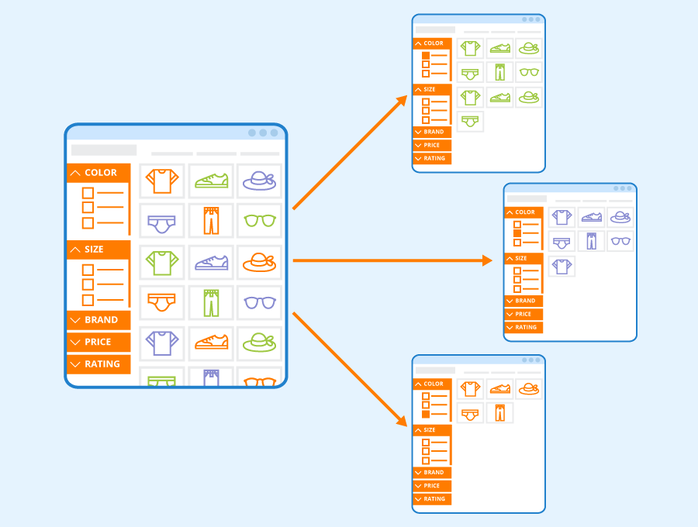
Faceted navigation — the filter system that lets users refine products by size, color, price, or brand — is a must-have for modern e-commerce websites. It delivers great user experience by helping shoppers find what they need quickly. But from an SEO perspective, faceted navigation can turn into a nightmare, generating endless URL variations, duplicate content, and wasted crawl budget.
Understanding how to manage faceted URLs effectively can mean the difference between a healthy, indexable site and one that confuses search engines. Let’s explore how filters create SEO chaos — and how to fix it.
1. The Problem: Infinite URL Combinations
Every filter or sorting option adds parameters to your URLs — for example:
/shoes?color=red&size=9&brand=nike&sort=price_asc
While each combination helps users refine results, it also creates a unique URL. Multiply that by dozens of filter options, and you could easily end up with thousands of URLs that display nearly identical content.
Why it’s bad:
- Duplicate content: Search engines view these URLs as separate pages, diluting ranking power.
- Crawl bloat: Bots waste time crawling near-identical pages instead of discovering new ones.
- Index pollution: Low-value URLs may get indexed, pushing important ones out of the spotlight.
2. Common Symptoms of Faceted Navigation Issues
If you’re dealing with faceted navigation problems, you might notice:
- Sudden spikes in indexed URLs in Google Search Console.
- Crawl stats showing excessive parameterized URLs.
- Duplicate title tags or meta descriptions in SEO audits.
- Decreased crawl frequency for key pages (Google spends time on junk URLs instead.
These are strong signals that your filters are out of control.
How to Prevent SEO Chaos from Faceted Filters
Let’s look at how to regain control without sacrificing user experience.
Use Canonical Tags Correctly
Add a canonical tag to filtered pages that points to the main category page:
<link rel=”canonical” href=”https://example.com/shoes/”>
This tells search engines that the base category URL is the preferred version.
However, be careful — if a filtered page represents a meaningful subset (e.g., “men’s running shoes”), it may deserve its own canonical URL.
Block Crawling of Low-Value Parameters
Configure your robots.txt file to disallow crawling of certain parameters:
Disallow: /*?sort=
Disallow: /*?view=
But note: blocking crawl access means search engines won’t even see these URLs — so don’t block pages that contain important, index-worthy content.
Use Google Search Console’s Parameter Handling (Legacy Option)
While Google has deprecated parts of the “URL Parameters” tool, many sites still benefit from using it to signal how specific parameters affect content (e.g., “sort=price” doesn’t change page content).
Internal Linking Control
Ensure only canonical or key URLs are linked internally. Filtered URLs should not appear in navigation menus, breadcrumbs, or sitemaps. Keeping internal linking clean tells crawlers which URLs truly matter.
Implement AJAX for Filter Changes
For a more advanced solution, use AJAX or JavaScript to apply filters dynamically — changing product results without altering the URL. This keeps filters user-friendly but search-engine-safe.
When to Allow Filtered Pages to Index
Not every filtered page is harmful. Some can attract long-tail traffic. For instance, a URL like:
/shoes/mens/running/
is valuable if it represents a distinct, high-demand category with unique metadata and copy.
- Allow indexing only when:
- The page targets a meaningful search intent (e.g., “men’s waterproof hiking boots”).
- It has optimized content and internal links.
You’ve ensured no duplicate canonical tags conflict.
In these cases, treat filtered URLs as dedicated landing pages — not as random parameter strings.
5. The Right Mix of UX and SEO
The challenge with faceted navigation is balancing user experience with crawl efficiency. Shoppers want flexibility, while search engines crave clarity. The solution isn’t to remove filters, but to control how they generate URLs and how those URLs are exposed to crawlers.
A good SEO setup typically includes:
- Canonical tags pointing to core pages.
- Robots.txt blocking unimportant filters.
- Minimal internal linking to parameter-based URLs.
- Selective indexing of strategic, search-relevant filter pages.
Final Thoughts
Faceted navigation can quietly cripple even the best SEO strategy if left unmanaged. When filters generate endless combinations, you risk confusing search engines, diluting link equity, and wasting crawl resources.
By implementing clear canonicalization, tightening crawl rules, and limiting which filtered URLs get indexed, you create a leaner, smarter website architecture. The goal is to help users refine results — without letting search engines drown in duplicate pages.
Handled correctly, faceted navigation transforms from an SEO headache into a usability win that benefits both users and rankings.

