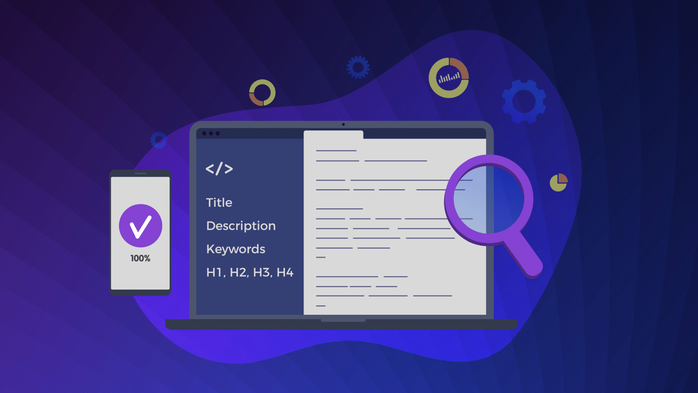
Even when you’ve meticulously written your page titles, search engines often decide to rewrite them. Since mid-2021, Google’s title-generation algorithm relies more heavily on on-page signals like H1s, anchor texts, and headings—rewriting titles it considers low quality or irrelevant. Understanding these triggers helps you design titles that retain their intended message and branding.
Common Title Rewrite Triggers
Boilerplate Repetition Across Templates
When every page ends with identical suffixes like “| Company Name | Official Site,” Google interprets it as redundant boilerplate. Excessive repetition across hundreds of URLs can prompt automatic rewriting, leaving out the brand tail entirely.
Fix: Define shorter, context-aware suffixes by page type—use “Brand” only where it clarifies intent or adds trust.
Keyword Stuffing or Over-Optimization
If a title repeats terms unnaturally (“Buy Shoes, Cheap Shoes, Best Shoes Online”), engines strip or truncate it. Rewrites replace these with concise alternatives derived from headers or anchor text.
Fix: Focus each title on one primary topic; validate clarity and uniqueness via Webqa’s Meta Title Test where you can customize maximum character or word thresholds
Mismatched or Missing H1s
When the <title> doesn’t match visible page headings, search engines consider it unreliable and generate one from H1s or anchor text leading to the page.
Fix: Align the core keyword and phrasing between title and H1 but avoid duplication. Webqa can flag exact matches (title equals H1) or missing tags.
Near-Duplicate Titles Across URLs
Large sites often produce near-identical titles across categories, filters, or paginated pages—e.g., “Laptops – Page 2,” “Laptops – Newest,” “Laptops – Discounted.” These confuse engines about which to display.
Fix: Automate disambiguation with page-type tokens and product attributes. Use Webqa bulk tests (up to 100 URLs) to quickly detect duplicate or blank title fields and export results in CSV/XLSX for cleanup
Safeguards That Keep Your Titles Intact
Page-Type Templates
Create unique templates for each page class—home, category, product, blog, help. Include tokens for {Primary Topic} + {Intent} + {Brand} with clear separators. Webqa’s project-level Settings lets you define and test these acceptance criteria per project before audits
Entity-First Phrasing
Start titles with the entity the page is about (e.g., “Nike Air Max 90 – Features & Price”), not generic terms (“Buy Shoes Online”). This aligns with how Google now emphasizes entity recognition.
Auto-De-Duping by Facet
In large catalogs, connect your CMS or site generator to run de-dupe checks based on canonical clusters. Use SimHash or fuzzy matching in pre-publish pipelines to prevent near-identical titles.
Length & Context Validation
Webqa allows you to enforce both minimum and maximum length criteria for titles and check casing (Sentence or Camel case) automatically This keeps them concise and compliant with visual SERP limits.
How to Verify Your Titles with Webqa
- Run the Meta Title tool for one-off checks or bulk validate 100 URLs.
- Customize pass/fail thresholds for title length, casing, and H1 equivalence.
- Export reports to CSV or XLSX for team reviews and fixes.
- Share permanent report URLs for async collaboration (each Webqa test has a shareable link)
Summary
Title rewrites aren’t random—they’re signals that search engines don’t trust your titles. By implementing structured templates, avoiding keyword repetition, and auditing regularly with Webqa, you maintain control of how your content appears in SERPs and ensure consistent brand communication.

