Customized Auditing Settings for Maximum Impact
We analyze every element — design, performance, SEO, and user experience to uncover growth opportunities.
We analyze every element — design, performance, SEO, and user experience to uncover growth opportunities.
Our Customized Auditing Settings let you define exactly what matters for your website’s success. Choose specific metrics, focus areas, and performance goals tailored to your business. From SEO to speed optimization, our flexible settings ensure every audit delivers precise insights, empowering you to take targeted, impactful action.
Require at least one H1 and set the maximum number of H1 through H6 tags a page may use.
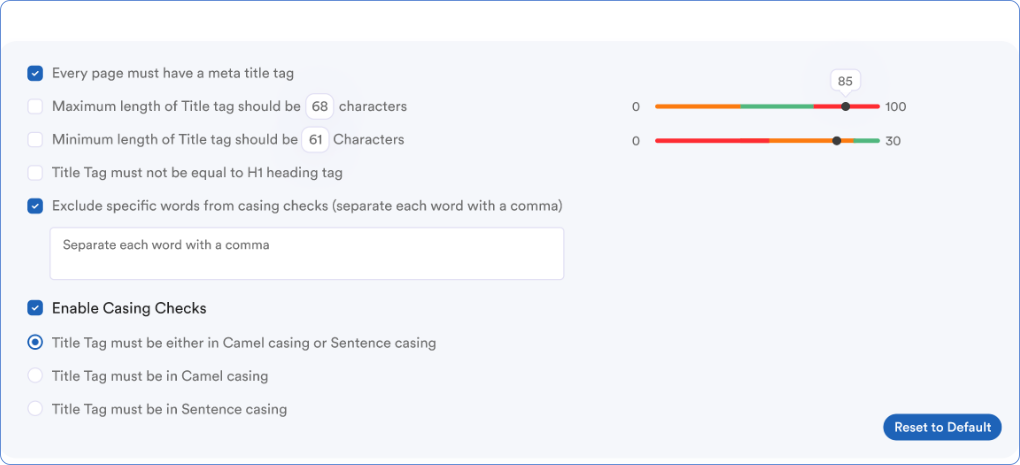
Set minimum and maximum title length, sentence or camel casing, and whether the title may match the H1.
Set the shortest and longest meta description a page can have so every snippet follows the same length rule.
Require alt text, cap file size and filename length, and allow only hyphen-separated lowercase names.
Require lowercase URLs, set a maximum length, and choose hyphens, underscores, or either as word separators.
Skip chosen words in title casing checks and block stop words in URLs so keyword rules stay the same on every page.
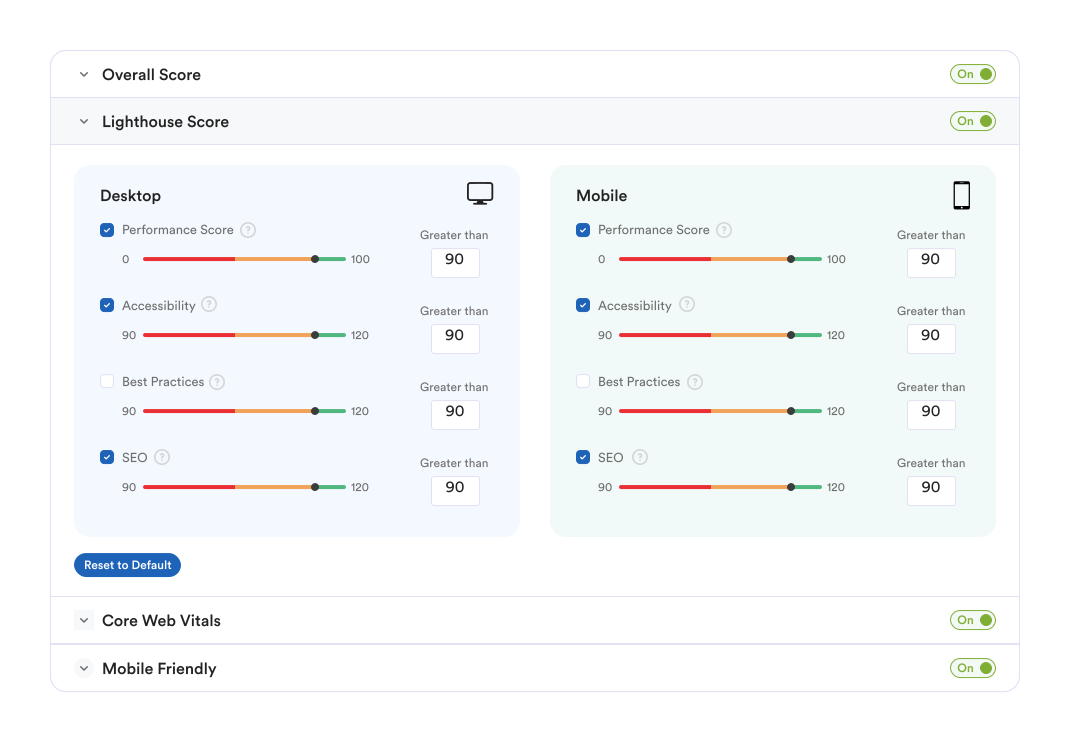
Set the scores a page must reach before a performance check passes. Choose minimum PageSpeed scores for desktop and mobile, then apply the same Lighthouse, Core Web Vitals, and mobile-friendliness bars to every audit in the project.
Set the markup and delivery rules every page must meet. These checks cover compression, caching, page weight, and HTML patterns that slow rendering or make pages harder to crawl.

A page passes when its HTML is minified and extra whitespace and comments have been removed.
Set the maximum HTML document size in kilobytes. Images and external CSS or JavaScript files are left out of that total.
External stylesheets must be compressed and minified before the page can pass.
The page must not use a frameset. Frames split the window into separate documents and are difficult for users and crawlers.
External JavaScript files must be compressed and minified.
Flag links that do not return a 200 status, and keep an ignore list for URLs you want this check to skip.
The HTML response must be served with GZIP compression enabled.
Stylesheets must send cache headers such as Cache-Control or an ETag so returning visitors are not forced to download them again.
The page must not contain a table inside another table. Nested tables slow rendering.
JavaScript files must send cache headers such as Cache-Control or an ETag so repeat visits can reuse them.
Turn on the security checks a project must pass. Each card opens that test in Tools so you can run it on its own.
Fail the project if Google Safe Browsing flags the site for malware, phishing, or other harmful content.
Links that open in a new tab must include rel="noopener" or rel="noreferrer" so the original page cannot be controlled by the destination.
Require full HTTPS URLs for page resources. Protocol-relative links that start with // are not allowed.
The response must include a Content-Security-Policy header that limits where scripts and other resources can load from.
The response must send X-Frame-Options so other sites cannot embed the page and attempt clickjacking.
The site must send Strict-Transport-Security so browsers keep using HTTPS on later visits.
HTML, CSS, JavaScript, and images must be served with the correct Content-Type so browsers do not guess the file type.
The certificate must be valid, unexpired, trusted, and matched to the domain, with the page served over HTTPS.
Directory listings must be turned off so visitors cannot open folders and browse files on the server.


Settings are the pass and fail rules for a project. Audits and bulk tools use those same rules, so a page is judged the same way in every check.
Yes. Title length, casing, image rules, URL rules, and which checks are required are saved on the project. Updating one project leaves the others unchanged.
You can set title and description length, title casing, whether the title may match the H1, heading counts, image alt text and filenames, and URL length, case, and separators.
Most of them are on or off. Compression, caching, framesets, security headers, SSL, and Safe Browsing either meet the rule or they fail. HTML page size, image size, and the broken-link ignore list are the checks with extra options.
New audits and tool runs use the updated rules. Results that are already saved stay as they are until you run those checks again.
Each card under Security Settings links to that test in Tools. Open the card to run the check without starting a full project audit.
Explore organic and paid traffic metrics for any website using Site Explorer.