
Broken Links
A broken link is a hyperlink that does not successfully take a visitor to its intended destination URL. It may point to a deleted page, an incorrect URL, an unavailable server, or another unreachable resource.
- Broken links can occur on both internal and external links.
- Common causes include deleted pages, changed URLs, typing errors, expired domains, and missing redirects.
- Broken links can create a poor user experience and make website maintenance more difficult.
- Important broken internal links can also interfere with the way users and search engines discover pages.
- A broken link checker helps identify problematic URLs so they can be corrected, redirected, restored, or removed.
What Are Broken Links?
A broken link is a hyperlink that fails to take the visitor to the intended destination. Instead of reaching the expected webpage or resource, the visitor may encounter an error page, an unavailable server, a timeout, or another failed response.
Broken links can occur anywhere on a website. They may point to another page on the same website, an external website, an image, a document, or another online resource.
For example, suppose a website contains a link to:
https://example.com/services/web-design
If that page is deleted or its URL is changed without updating the link, visitors following the old link may receive a 404 Not Found response. The link has effectively become broken.
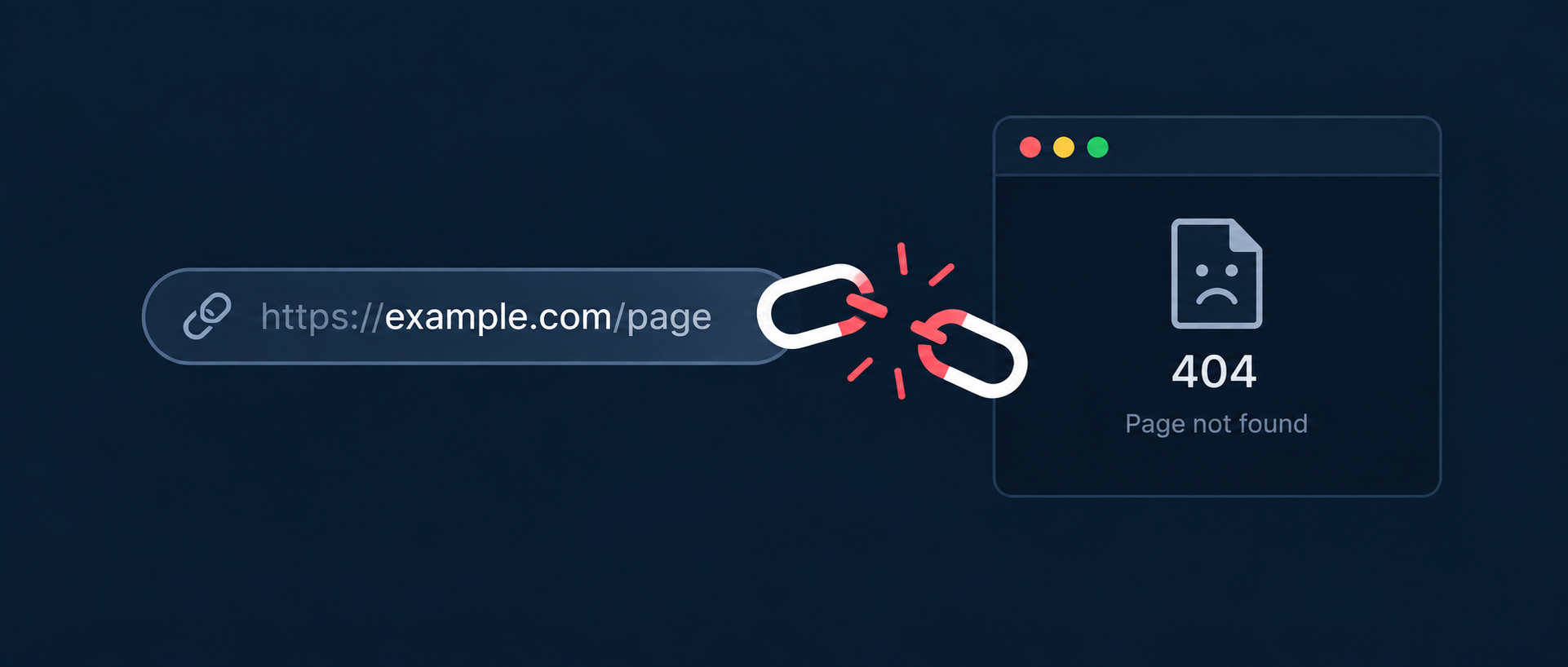
A broken link is therefore not necessarily a problem with the hyperlink itself. It can also be caused by a problem with the destination the link points to.
Types of Broken Links
Broken links can be broadly divided into internal and external broken links, depending on where the destination is located.
- Internal broken links: Links that point to pages or resources on the same website but no longer reach a valid destination.
- External Broken links: Links that point to another website or domain where the destination is unavailable or cannot be successfully reached.
- Broken resource links: Links or references to resources such as documents, images, downloads, or other files that are no longer available.
Internal broken links are generally easier for a website owner to fix because the destination is under their control. External links may require updating the reference, finding an alternative source, or removing the link entirely.
Common Causes of Broken Links
Broken links often appear as websites evolve. Pages are renamed, content is removed, domains change, and website structures are redesigned. Common causes include:
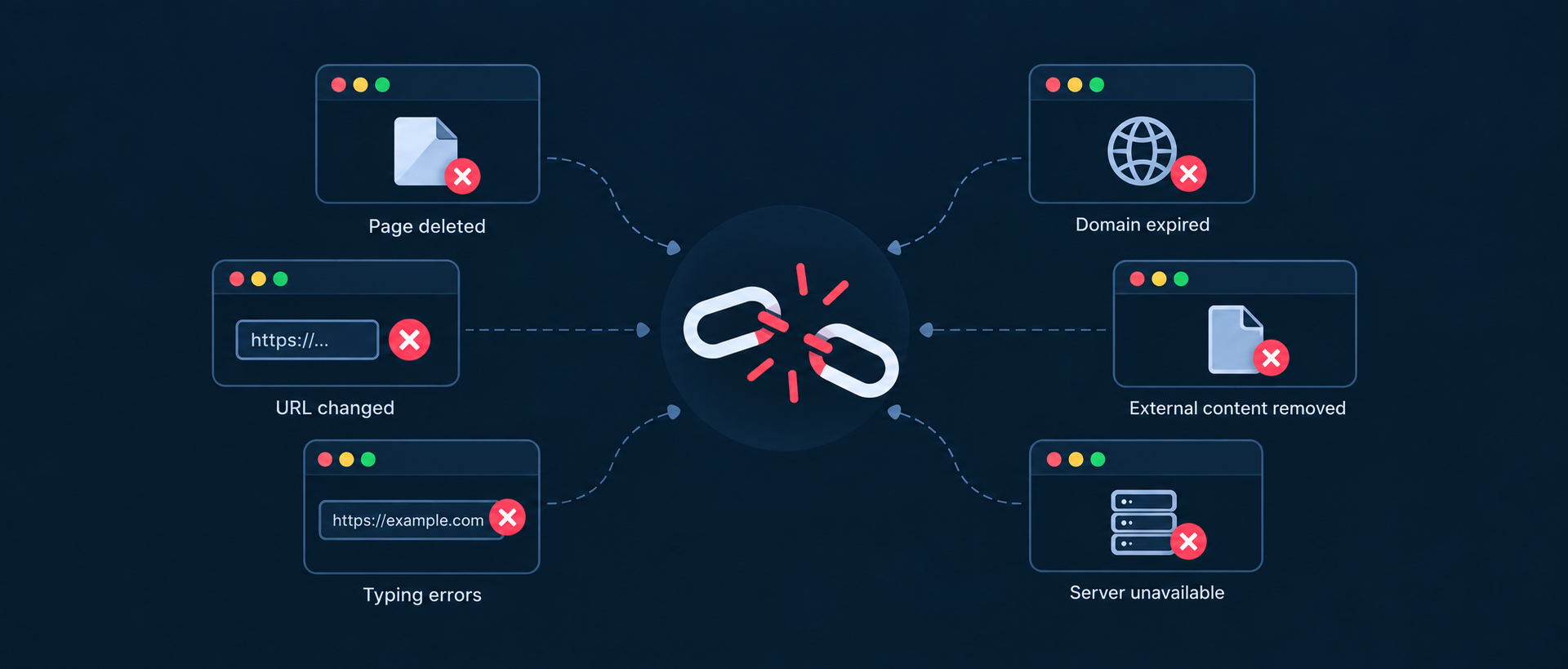
- Deleted pages: A page is removed but existing links to it are not updated.
- Changed URLs: A page moves to a new URL without an appropriate redirect or updated internal links.
- Typing or formatting errors: A link contains an incorrect URL, missing character, incorrect path, or other formatting mistake.
- Expired domains: An external website or domain referenced by a link is no longer active.
- Removed external content: A third-party website deletes or moves the page your website previously linked to.
- Broken redirects: A redirect points to another URL that is itself unavailable or incorrectly configured.
- Website migrations: Large URL changes during redesigns or migrations can leave old links behind.
- Temporary availability problems: A server may be temporarily unavailable, overloaded, or unable to respond to a request.
Why Do Broken Links Matter?
A few broken links can happen on almost any website. The problem becomes more significant when broken links are large in number and remain unresolved for long periods, or affect important pages.
Broken links can create several problems, some of them are mentioned below:
- Poor user experience: Visitors may encounter an unexpected error instead of the information they were looking for.
- Interrupted navigation: Broken internal links can prevent visitors from moving naturally through a website.
- Lost opportunities: A broken link to a product, service, signup page, or important resource can prevent visitors from completing an intended action.
- Maintenance problems: A growing number of broken links can indicate that a website's content and URL structure need regular maintenance.
- Reduced discoverability: Broken internal links can make important pages harder for users and search engines to reach through the site's internal linking structure.
How Does a Broken Link Checker Work?
A broken link checker examines the links found on a webpage and attempts to determine whether their destinations can be successfully reached.
- Fetch the webpage: The checker accesses the page being tested.
- Extract links: The HTML is analyzed to identify hyperlinks and their destination URLs.
- Request each destination: The checker attempts to access the discovered URLs.
- Analyze the response: The HTTP response, redirect behavior, connection status, and other available signals are evaluated.
- Report potential problems: URLs that cannot be successfully reached or return error responses can be flagged for further review.
A link checker should not treat every response other than 200 OK as automatically broken. Redirects, authentication requirements, temporary server failures, and other response conditions may require additional evaluation.
Understanding HTTP Status Codes for Broken Links
HTTP status codes provide useful information about what happened when a request was made to a URL.
| HTTP Response | What This Means |
|---|---|
| 200 OK | The server successfully returned the requested resource. |
| 301 Moved Permanently | The requested URL has permanently moved to another location. |
| 302 Found | The resource is temporarily available at another location. |
| 404 Not Found | The requested resource could not be found at the specified URL. |
| 410 Gone | The resource has been intentionally removed and is no longer available. |
| 5xx | A server-side error occurred while attempting to process the request. |
A status code should always be interpreted in context. For example, a correctly implemented 301 redirect is not necessarily a broken link, while a URL that repeatedly times out may be problematic even if it does not return a conventional 404 response.
How to Fix Broken Links
The appropriate fix depends on why the link is broken and whether the original destination still has a valid replacement.
- Update the URL: If the destination has moved, replace the broken link with the current URL in the source page.
- Restore the missing page: If the content or the destination page was removed accidentally and is still required for the link to function properly, restore the original page.
- Implement a relevant redirect: If a page has permanently moved, redirect the old URL to the most relevant replacement.
- Replace the external source: If an external resource has disappeared, find a reliable alternative where appropriate.
- Remove the link: If there is no useful replacement and the link is no longer necessary, remove it.
- Fix incorrect URLs: Correct spelling mistakes, missing paths, incorrect protocols, or other URL errors.
Avoid redirecting every broken URL to the homepage simply to eliminate an error. A redirect is most useful when the destination is genuinely relevant to the original URL.
Internal vs External Broken Links
Internal and external broken links require slightly different approaches because website owners have different levels of control over their destinations.
| Internal Links | External Links |
|---|---|
| Point to pages or resources on your own website. | Point to another website or external domain. |
| You generally control both the link and its destination. | You usually control the link but not the destination website. |
| Can often be fixed by updating the URL or implementing a redirect. | May require replacing the source or removing the link if the destination has disappeared. |
| Important broken internal links can affect navigation and page discoverability. | Broken external links can reduce the usefulness and credibility of referenced resources. |
Broken Links and SEO
Broken links are not a simple SEO ranking penalty. Finding a broken link does not mean that a page will automatically lose rankings.
However, broken internal links can create SEO problems when they prevent users or search engines from easily discovering important pages. A broken link can also interrupt the internal linking structure that connects related content across a website.
Broken external links do not generally create a direct ranking penalty either, but they can make a page less useful when visitors are sent to unavailable resources.
For these reasons, broken-link management is best viewed as part of technical website maintenance and user-experience optimization rather than as a standalone ranking tactic.
Good vs. Bad Broken Link Practices
| Good Practice | Bad Practice |
|---|---|
| Regularly scan important pages for broken internal and external links. | Wait until visitors report broken links before investigating them. |
| Update links when a page moves to a new URL. | Leave old URLs throughout the site after a website migration. |
| Use a relevant redirect when content has permanently moved. | Redirect every unrelated broken URL to the homepage. |
| Replace unavailable external resources with useful alternatives. | Continue linking to external pages that no longer exist. |
| Remove links when there is no meaningful destination or replacement. | Keep unnecessary links simply because they were previously published. |
| Investigate timeouts and temporary server errors before declaring a URL permanently broken. | Treat every temporary connection failure as a permanently broken link. |
How Often Should You Check for Broken Links?
The ideal frequency depends on how often your website changes and how many pages and external resources it contains.
- Small, rarely updated websites: A monthly or quarterly check may be sufficient.
- Frequently updated websites: Monthly checks or checks after significant content changes can help catch problems sooner.
- Large websites: More frequent automated crawling can be useful because thousands of URLs and external references can change over time.
- After website migrations: Run a comprehensive check after changing domains, URL structures, navigation, or content management systems.
It is particularly important to check after major redesigns or URL changes, because these are common times for broken internal links to appear.
What Does the Broken Links Test Check?
The Broken Links Test scans a webpage for hyperlinks and checks whether the referenced destinations can be reached successfully.
The test can help identify URLs returning error responses or other conditions that may indicate a broken or unreachable destination.
Detected links should be reviewed in context. A redirect, temporary server problem, authentication requirement, or other response condition may require a different action than a permanently missing page.
The goal of the test is to give you a clear starting point for finding links that may need to be updated, redirected, restored, replaced, or removed.
Conclusion
Broken links are a normal maintenance issue that can develop as websites change. Pages are deleted, URLs are reorganized, external resources disappear, and website migrations can leave outdated links behind.
While a broken link is not automatically an SEO problem, unresolved broken links can create frustrating user experiences and make important content harder to navigate and discover.
Regularly checking your website for broken links makes it easier to identify these issues and take the appropriate action—whether that means updating a URL, restoring a page, adding a relevant redirect, replacing an external resource, or removing the link entirely.
FAQs on Broken Links
Broken links are hyperlinks that fail to take visitors to their intended destination. They may lead to a 404 or 410 response, a server error, a timeout, or another unavailable resource.
Common causes include deleted pages, changed URLs, incorrect links, website migrations, missing redirects, expired domains, and external websites removing or moving content.
Broken links are not automatically an SEO ranking penalty. However, important broken internal links can make pages harder for users and search engines to discover and can create a poor user experience.
A 404 response means the requested resource was not found, while a 410 response indicates that the resource has been intentionally removed and is no longer available.
No. A redirect should normally be used when there is a relevant replacement for the original URL. If there is no meaningful replacement, removing the link or allowing the URL to return an appropriate 404 or 410 response may be better.
Update the link to the correct URL, restore the missing page, or use a relevant permanent redirect if the content has moved. If the link is no longer needed, remove it.
They can create a poor user experience because visitors may be sent to unavailable resources. Replace the link with a reliable alternative or remove it when the original resource is no longer useful.
A broken link checker identifies hyperlinks on a webpage, requests their destination URLs, evaluates the responses and connection conditions, and reports links that may be broken or unreachable.