
HTML Sitemap
An HTML sitemap is a human friendly webpage that lists and organizes the important pages of your website. Unlike an XML sitemap, which is designed for search engines, an HTML sitemap helps visitors discover content and can also provide additional crawl paths for search engines.
- HTML sitemaps improve website navigation and user experience.
- They provide a structured overview of important pages.
- Search engines can also use HTML sitemaps to discover internal links.
- Large websites benefit the most from maintaining an HTML sitemap.
- This tool verifies whether your HTML sitemap exists and contains valid, crawlable links.
The HTML Sitemap serves as a navigational guide, detailing and categorizing the various sections of your website for user convenience and better understandability. It is an integral component in enhancing user experience, enabling easier navigation through the structured layout of your website’s content.
What is an HTML Sitemap?
An HTML Sitemap is like the blueprint of a building, providing a structured overview of your website's content and organization. This sitemap is essentially a plain text version of the site's navigation, represented in a hierarchical format, typically linked to your website's main sections and subsections. Its primary audience is website visitors, aiming to improve user experience by providing a user-friendly navigation scheme.
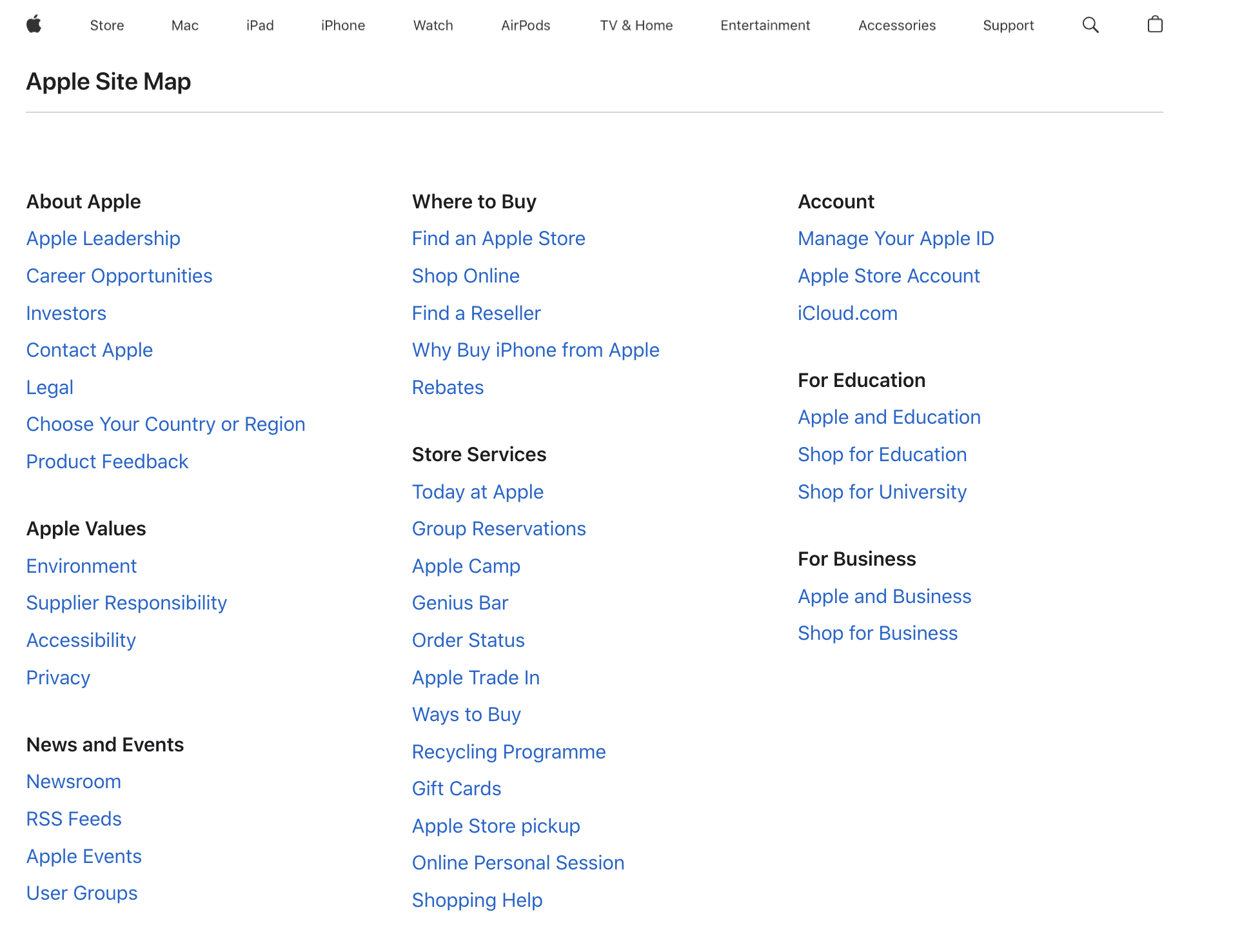
When users land on a website, an HTML Sitemap acts as a roadmap, assisting them in finding the information they are looking for effortlessly. This sitemap categorizes the website's content into organized sections, allowing users to navigate to their desired page without getting lost in many web pages.
- It aids users in navigating through the website with ease, especially in cases where the website navigation is complex.
- It can assist search engines in understanding the site's structure, although its impact on SEO is less direct than XML sitemaps.
- It is particularly beneficial for websites with many pages or intricate structures, simplifying user navigation and improving user experience.
HTML Sitemap vs XML Sitemap
Although HTML and XML sitemaps both help organize your website's content, they serve different purposes and are intended for different audiences. An HTML sitemap is designed primarily for users, while an XML sitemap is designed for search engines and other crawlers.
| HTML Sitemap | XML Sitemap |
|---|---|
| Designed primarily for human visitors. | Designed primarily for search engines and crawlers. |
| Displayed as a regular webpage with clickable links. | Stored as an XML file in a machine-readable format. |
| Helps users navigate the website and discover content. | Helps search engines discover, crawl, and index URLs efficiently. |
| Organizes pages into logical categories and hierarchies. | Lists URLs along with optional metadata such as last modified date and update frequency. |
| Usually linked from the website footer or navigation. | Typically located at /sitemap.xml or /sitemap_index.xml. |
| Improves user experience, especially on large websites. | Improves crawl efficiency and URL discovery for search engines. |
| Can help search engines discover internal pages through additional links. | Can be submitted directly through Google Search Console and Bing Webmaster Tools. |
| Best suited for users looking to browse a website's structure. | Best suited for crawlers looking to understand a website's URL inventory. |
Do's and Don'ts of HTML Sitemaps
An HTML sitemap should be simple, well-organized, and easy to navigate. It should help both visitors and search engines discover important pages without becoming cluttered or difficult to use. Following these best practices will ensure your HTML sitemap remains useful as your website grows.
Do's
- Keep your HTML sitemap updated whenever pages are added, removed, or reorganized.
- Organize links into clear categories and logical hierarchies.
- Include the most important pages that users are likely to look for.
- Use descriptive and meaningful anchor text for every link.
- Link to the HTML sitemap from your website footer or another easily accessible location.
- Regularly check for broken links and outdated URLs.
- Keep the layout clean and easy to scan, especially on large websites.
- Ensure every listed page returns a valid HTTP status code.
Don'ts
- Don't overload the sitemap with thousands of links on a single page.
- Don't include broken, redirected, or non-existent URLs.
- Don't list pages that are blocked from indexing or intentionally hidden from users.
- Don't create confusing navigation with inconsistent categories.
- Don't leave orphan pages out of the sitemap if users may need to find them.
- Don't use vague link text such as "Click Here" or "Read More."
- Don't forget to update the sitemap after major website changes or migrations.
- Don't assume your primary navigation replaces the need for an HTML sitemap on large or complex websites.
The HTML Sitemap is the unsung hero of user-friendly web navigation. By offering a neatly organized and accessible overview of a website’s content, it ensures that users can easily find what they are looking for, enhancing overall user satisfaction and experience.
FAQs on HTML Sitemap
An HTML sitemap is a regular webpage that lists and organizes the important pages of a website in a clear, hierarchical structure. It is designed primarily for visitors, helping them quickly find content, while also providing search engines with additional internal links to important pages.
An HTML sitemap is intended for human visitors and is displayed as a normal webpage with clickable links. An XML sitemap is a machine-readable file created for search engines to help them discover, crawl, and index website URLs more efficiently. Most websites benefit from having both.
An HTML sitemap is not a direct Google ranking factor, but it can indirectly benefit SEO by improving internal linking, helping search engines discover important pages, and making it easier for visitors to navigate your website.
Yes. An XML sitemap helps search engines understand your website structure, while an HTML sitemap helps visitors browse your content more easily. They serve different purposes and complement each other.
An HTML sitemap is commonly linked from the website footer so that visitors can access it from any page. It should be easy to find without disrupting the primary navigation.
Not necessarily. Include your most important pages, categories, products, services, and articles. Pages that are intentionally hidden, blocked from indexing, or provide little value to users generally should not be listed.
Your HTML sitemap should be updated whenever important pages are added, removed, renamed, or reorganized. Keeping it synchronized with your website structure ensures visitors and search engines always have accurate navigation.
Yes. Very large websites often split their HTML sitemap into multiple pages organized by category, department, or content type. This keeps each sitemap manageable and easy for users to browse.
This tool verifies whether your website has an HTML sitemap, checks that the sitemap is accessible, validates the links it contains, and helps identify broken, redirected, or missing pages that could reduce its usefulness for both visitors and search engines.